
Homepage | Missions | PSA Missions | Mission 7: Clockwork Repairs
A complete step-by-step guide for Mission 7: Clockwork Repairs.

- Talk to Gary the Gadget Guy in HQ.
- Click the Snow Forts monitor Gary points to. The monitor shows the polar bear and crab from Mission 5 removing the prime gear and target-winder from the Clock Tower. A spring flies off toward the Iceberg.
- Talk to Gary again. He requests that you repair the Clock Tower by finding the missing spring, target, and creating a new gear.
- In HQ, go to the other side of the room and click the center of the Invention Cabinet. A combination lock appears.
- Return to Gary and ask about the Electromagnet 2000. He provides the password: “key”.
- Go back to the Invention Cabinet and use the secret-agent code to set the lock to
"key". - Take the Electromagnet 2000 and place it in your inventory.
- Enter the Gadget Room.
- Take the life-preserver ring from the top shelf and add it to your inventory.
- Optional: Talk to Rory near the Snow Forts for extra information about repairing the clock.
- Go to the Iceberg. The missing spring is frozen inside a large ice cube floating in the water.
- Use the Electromagnet 2000 from your inventory to pull the ice cube out of the water.
- Place both the ice cube and the Electromagnet 2000 back into your inventory.
- Go to the Ski Village. Talk to the two penguins about the physical properties of snow.
- Go to the Beach. Talk to the yellow penguin in the fancy snow chair. He explains that a yellow puffle crafted his chair.
- Take the green bucket next to him and add it to your inventory.
- Go to the Dock. Talk to the two blue-team penguins about the Clock Tower target.
- Hit the target with a snowball three times to earn it. (Aim slightly ahead of the moving target; you have ten snowballs.)
- Add the target to your inventory.
- Give the penguins the life-preserver ring so they can keep practicing.
- Go to the Town. Talk to Rookie, who is handing out posters for the missing Clock Tower gear.
- Receive a poster from Rookie and add it to your inventory.
- Go to the Snow Forts. Use the green bucket from your inventory to scoop up snow. Add the bucket of snow back into your inventory.
- Go to the Plaza. Enter the Pizza Parlor and take the sheet of music near the piano.
- Go to the Stage and place the sheet of music on the piano.
- Play the song by matching colored notes to colored keys. A yellow puffle will appear.
- Give the yellow puffle the poster and the bucket of snow.
- The puffle creates a gear out of snow. (Snow from anywhere other than the Snow Forts will cause the gear to fall apart.)
- Add the empty bucket and the newly made gear to your inventory.
- Place the ice cube from your inventory onto the right side of the conveyor belt.
- Click the red handle to move it into the chamber. Press the fire button to melt the ice. Move the spring out and add it to your inventory.
- Place the snow gear onto the conveyor belt. Move it into the chamber. Press the red snowflake button to superchill the gear. Move the gear out and add it to your inventory as a reinforced gear.
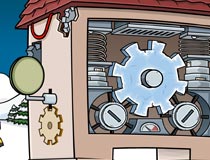
- Click near the bottom of the Clock Tower to view the clockwork.
- Place the spring into the clockwork.
- Place the reinforced gear into the clockwork.
- Place the target onto the winding arm to the left of the Clock Tower. The Clock Tower begins working again.
- Answer your spy phone; the call is from the polar bear.
- After the call, Gary walks out and congratulates you on your work.
- Talk to Gary to complete the mission.
Congratulations, you’ve completed Mission 7: Clockwork Repairs!
Would you like to continue onto Mission 8: Mysterious Tremors?



 That Penguin Game
Leave us a comment below!