
Homepage | Help | Video Games | DS Game

What items do I get for uploading?
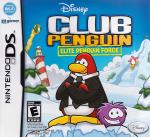
There are 11 items you can unlock while playing Herbert’s Revenge and upload to your Club Penguin account.
- Secret Agent Bowtie
- Secret Agent Suit Jacket & Shirt
- Secret Agent Sunglasses
- Camping Backpack & Gear
- Orange Construction Helmet
- Flashlight
- Binoculars
- Computer
- Life Preserver Ring
- Crab Costume
- Spider Costume
Why can’t I activate the game code?
If the game you have purchased was second-hand, it is most likely the game code has already been redeemed. Game codes can only be redeemed once.
If you have purchased an original copy of the game and are having trouble redeeming the code, please contact our Customer Support Team. Include in your email the game code and the penguin account name for which you are attempting to redeem the code.
How do I upload content from the DS to the website?
You can upload coins and items from the DS game to your online account.
First you’ll need a Wi-Fi connection on your DS.
If you have Herbert’s Revenge:
- Tap ‘Account’
- Then tap ‘Connect to Nintendo Wi-Fi Connection’
- Tap ‘Upload Coins’
- Any items you earned by completing missions will be uploaded to your online account at the same time
- The maximum number of coins you can upload per day is 2,000.
If you have Elite Penguin Force:
- Select ‘Upload/Download’ from the main menu
- Connect to Nintendo Wi-Fi Connection
- Enter your Club Penguin login information
- Select ‘Upload Coins’
- Tap the + to the amount of coins you’d like to upload
- Tap ‘Okay’ to upload



 That Penguin Game
Leave us a comment below!