
Homepage | Help | Toys | Treasure Book

Where do I enter my Code?
Go to http://play.clubpenguin.com/#/redeem. Login with your penguin name and password, then follow the instructions. Or if you don’t already have a penguin, first create a free account. If you need additional help, check out the How To Unlock Items page.
If I don’t have a Club Penguin membership, can I still use my Code to unlock items?
Absolutely! Everyone can unlock items online – all you need is your penguin account and your toy code.
Choosing your Treasure book items
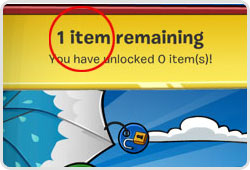
The top bar of the Treasure Book shows how many items you get to unlock. Flip through the pages, then select the items you want.
Once you’re finished selecting your final item, click ‘Yes’ to redeem it.
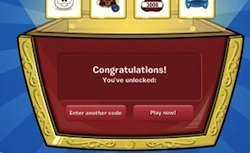
You’ll be taken to a congratulations screen, where you can either click “Enter another code” to add more codes, or “Play now!” to access your account.
If you unlock 5 items, you’ll be able to access the rare, Super Exclusive items page AND receive 2 extra bonus items!
Treasure Book items work for both members and free accounts. If you have a code that doesn’t work, or experience any other difficulties, please contact Club Penguin Community Support.
The items in the Treasure Book are different since the last time I was here. Why did they change?
New items are added to the Treasure Book from time to time. Don’t worry though – items are not removed. And you’ll always find the items you’ve already unlocked in your inventory.
When my membership expires, will I lose the items I unlocked?
Items you unlock with a code or book will ALWAYS be accessible, whether you have a membership or not.





 That Penguin Game
Leave us a comment below!