
Homepage | Help | Game Help | Your Penguin


How do I change my penguin’s clothing?
Ready for a new look? Want to show off your style?
Getting dressed up for the latest party?
- To put on a new clothing item, first click on your penguin to open up your Player Card
- You can scroll through all your items, or click on ‘All Items’ and select from the list
- Click on the item to put it on your penguin
- To remove a piece of clothing, click on the item on your Player Card
How/where do I buy items?
Looking for new clothing? Or new furniture to decorate your igloo with? There’s tons of items, and the best part is, there’s something new every month!
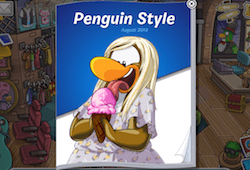
- Go to the Clothes Shop in the Town to check out the Penguin Style catalog. It has all the latest clothing, accessories, penguin colors, backgrounds and flags.
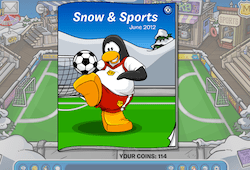
- At the Stadium you can find the Snow and Sports catalog. You can buy sports jerseys and equipment, plus sports gear for your igloo.
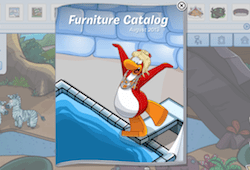
- Open up the igloo editor in your igloo to check out the latest Furniture and Igloo Catalogs.
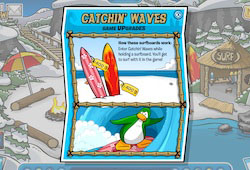
- Some games also have Game Upgrade catalogs. Check out Sled Racing, Catchin’ Waves, Ice Fishing, DJ3K, and Hydro Hopper.
- Ninjas can purchase items from the Martial Artworks catalog in the Dojo.
- The Treasure Book has items that are only available by using codes from merchandise. Visit our Toys Help page to learn more about unlocking items from the Treasure Book.
What is a Player Card?
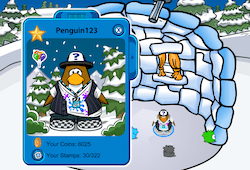
Your Player Card is the key to customizing your penguin!
It contains all your clothing, accessories, backgrounds and pins. You can also view your Stamp Book and see how many coins you have.
How do I earn coins?
While money may not grow on trees, we’ve perhaps got the next best thing. There are fun and easy ways to earn coins in Club Penguin.
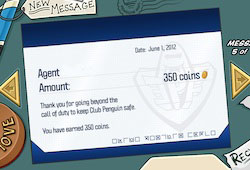
- Become a Tour Guide or a secret agent for the EPF! You’ll receive a paycheck every month for all your hard work around the island.
- To become a Tour Guide, visit the Tour Booth in the Ski Village.
- To become a Secret Agent, report to the Everyday Phoning Facility.
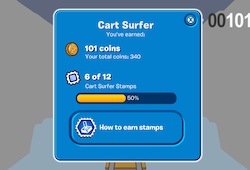
- Play games! Almost all of the games reward you with coins while you’re playing. Hint: Pet puffles can help you earn even more coins in certain games.
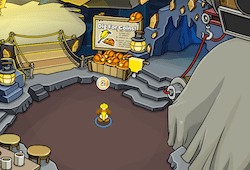
- Dig in the Gold Mine! Pick up a free hard hat, and wearing only the hat press ‘D’ to dig.
Where do I find my Player Card?
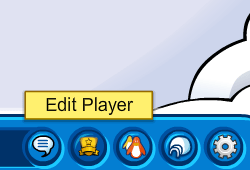
Ready to edit your penguin?
Select your penguin, or choose the ‘Edit Player’ icon in your toolbar to view your Player Card.
I saw a penguin wearing clothing that wasn’t in the catalog. Where did they get it from?
Seen some sweet styles on another penguin and wonder where it came from?
- Perhaps it was a hidden item. There are several secret items hidden in every Penguin Style catalog, so click around to see what you can find.
- If the clothing isn’t currently available in the Penguin Style catalog, it may have been from a previous catalog. Sometimes the items will appear in a future catalog, so don’t forget to check out the latest one whenever you log in.
- There are also clothing items that can only unlocked by purchasing merchandise in stores. Visit our Toys Help page to learn more about unlocking items from merchandise.
How do I view my clothing inventory?
When you want to change your outfit, background, or pin you’ll find everything you need in your inventory.
- Open up your Player Card and click the arrow on the right hand side
- You’ll be able to see every item in your inventory by using the arrow keys to scroll
- If you only want to see a specific type of inventory item, click on ‘All Items’ and select from the list



 That Penguin Game
Leave us a comment below!