
Homepage | Help | Game Help | Your Igloo

- Homepage | Help | Game Help | Your Igloo
- How do I see how many Likes my igloo design has?
- How do I get to the top of the Popular Igloo list?
- How do I let other penguins into my igloo?
- What does the Like button do?
- How do I decorate my igloo?
- How do I visit other penguins’ igloos?
- How often can I Like an igloo?
- How do I buy furniture for my igloo?
- Can I save my igloo designs?
- What does “Grand Total Likes” mean?
- How do I play music in my igloo?
- How do I ‘Like’ someone’s igloo?
- Can I see who’s Liked my igloos?
- What do I do if I can’t see my igloo walls?

How do I see how many Likes my igloo design has?
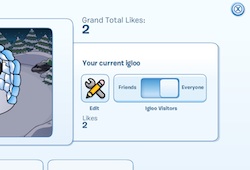
Want to see how many penguins think your igloo designs are awesome?
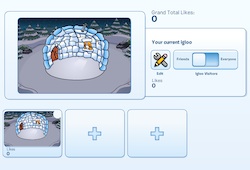
You can see how many “Likes” your igloo design has by opening your igloo editor. You can see how many penguins like each igloo, and view your total number of “Likes”.
How do I get to the top of the Popular Igloo list?
If you want to get to the top of the Popular Igloo list, you’ll need to get as many Likes as you can on your igloos. Here are some tips:
- Make it your own! Create a custom design with items from the Furniture catalog
- Throw an igloo party, and invite other penguins to visit your igloo
- Ask them to click the Like button if they enjoy your igloo design
- The Popular tab shows players with the highest number of Grand Total Likes for their igloo designs
How do I let other penguins into my igloo?
Penguins love to throw parties and igloos are a popular place to have them.
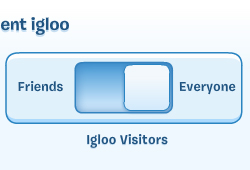
If you’re a member, you can open up your igloo to other penguins on the igloo map.
- Click the Igloo Viewer icon and select the igloo you’d like to open
- Slide the button over to ‘Everyone’
- This will put your igloo on the igloo map and anyone will be able to visit
- If you only want penguins you already know to visit your igloo, slide the button over to ‘Friends’
What does the Like button do?
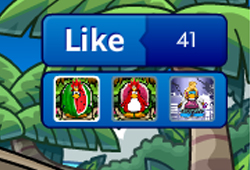
Ever visited someone’s igloo and thought it was cool? Let them know by clicking the Like button.
How do I decorate my igloo?
Every penguin has an igloo to call home. Click the igloo icon on your tool bar to go there.
Click the Igloo Viewer icon to start decorating a new igloo.
Select the igloo you want to decorate and click the Edit icon to begin.
Use the tabs to select what kind of furniture you want to put into your igloo.
- Select the locations icon to change the location of your igloo
- Select the igloo icon to change what type of igloo you have
- Select the furniture icon to choose furniture items for your igloo
- Select the carpet icon to choose new igloo flooring
- Select the painting icon to add wall decorations to your igloo
- Select the puffle house to put puffle furniture out for your pets
How do I visit other penguins’ igloos?

It’s fun visiting other penguins and joining in igloo parties.
To visit other penguins’ igloos, open your map, and click on the igloos.
- Select the Popular tab to view the igloos with the highest Likes
- Select the Everyone tab to view all igloos
- Select the Friends tab to view your friends’ igloos
How often can I Like an igloo?
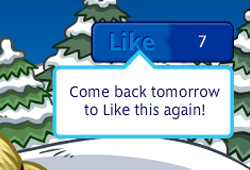
You can Like any igloo design once every day!
That means if you really like someone’s igloo, you can come back another day and Like it again.
Note: Days are based on PST. If you’re not sure what time it is, check out the clock in the Snow Forts.
How do I buy furniture for my igloo?
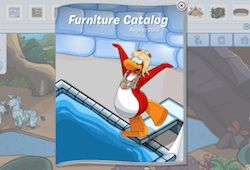
Looking for the latest igloo furniture to decorate your igloo with? Want to get the latest in igloo designs?
- Buy more furniture items by selecting the Furniture Catalog icon. The Furniture Catalog is updated every month! When you buy new furniture it will go into your inventory.
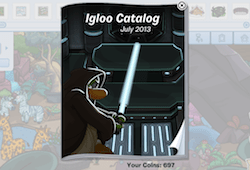
- Buy more igloos and locations by clicking on the Igloo Catalog icon.
Can I save my igloo designs?
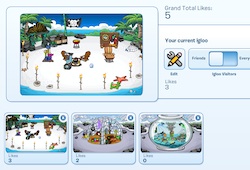
Yes!
Members can save up to 3 different igloo designs.
To save a new igloo design, go to your Igloo Viewer and click on one of your empty igloo spaces.
What does “Grand Total Likes” mean?
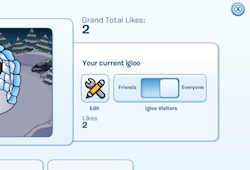
Each igloo design you create earns its own individual Likes.
The Likes from all of your unique igloo designs add up to your Grand Total Likes.
For example, if you have two igloos, one has 31 Likes, and the other has 14, your Grand Total Likes for your igloo designs is 45.
Likes are permanent, so your Grand Total Likes will never decrease, even if you delete an igloo design!
You’ll see your Grand Total Likes in the Like button and in your igloo editor.
How do I play music in my igloo?
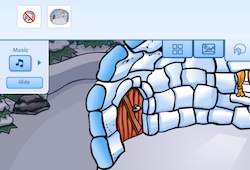
What’s an igloo party without a little music?
Play music in your igloo by clicking the music icon. You’ll find your saved DJ3K tracks here!
How do I ‘Like’ someone’s igloo?
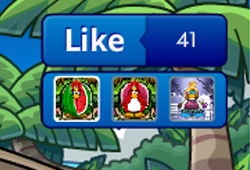
Visited an igloo you thought was cool?
If you like someone’s igloo you can let them know by selecting the Like icon in the top left corner.
Can I see who’s Liked my igloos?
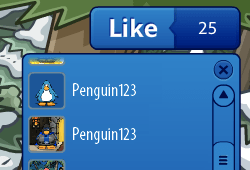
Want to see who thinks you’re an awesome igloo designer?
Click the button below the Like button. It will show you all the penguins who Like your igloo designs.
What do I do if I can’t see my igloo walls?
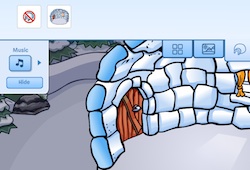
Hiding your inventory will help you place some of your wall items.
To hide your igloo item inventory, click the hide button in the left hand corner.





 That Penguin Game
Leave us a comment below!